Replace a video background with a mask
Use an existing soft mask to put a talking-head video against a new background. Keep the source timing and audio.
Compare the frames
White keeps the subject, black replaces the background, and gray blends fine edges and motion.

Your result appears here
The sample video and mask line up frame by frame. Try the sample to play both clips and see the result.
Use your own video
Export a grayscale mask MP4 from your editor or segmentation tool first.
Combine the background with a soft mask
- Pick two H.264 MP4 files with matching dimensions and frame timing.
- Choose a background image. Add a clean frame of the old background if you need to reduce color spill.
- Combine, preview, and download the MP4 in your browser.
Supported inputs
White keeps the foreground, black replaces the background, and gray blends the edges. Bring your own mask. Supports constant-frame-rate clips up to 30 seconds, 30 fps, and 1080p, with AAC audio when present.
Check the video and mask timingTry a real talking-head sample
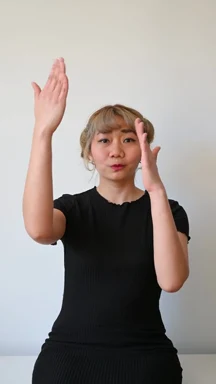
A three-second hand gesture with an aligned soft mask. The original clip is silent.
Sample footage by Kevin Malik